

Manufacturing RFQ Checklist: What Files and Information Do You Need for a Custom Parts Quote?
Sending a STEP file with “Please quote” may start a conversation, but it rarely defines the job. The reviewer still needs to know which revision to use, how many parts you want, what material and finish apply, which features matter, how the parts will be inspected and when they are needed.
A useful manufacturing RFQ connects those decisions to the product files. It does not have to settle every engineering question on day one. If something is undecided, say so. The supplier can then separate firm requirements from options and assumptions before confirming price, scope and timing.
Manufacturing RFQ checklist at a glance
Use this table as an RFQ cover sheet. It works for a single custom part or a mixed mechanical and electronic assembly.
| RFQ area | What to provide | Why it matters |
|---|---|---|
| Part and scope | Part number, name, revision, application and the work to be quoted | Keeps the files and quotation lines tied to the same product and scope |
| Geometry | Current 3D CAD model and any required 2D drawing | Defines the part geometry and manufacturing requirements |
| Quantity and stage | Prototype quantity, current order quantity, project stage and likely repeat demand | Helps the supplier review the process, setup, tooling and purchasing route |
| Material and finish | Exact grade or resin, condition, coating, color, masking and permitted alternatives | Defines the condition in which the part will be delivered and inspected |
| Functional requirements | Interfaces, datums, tolerances, threads, fits, surface texture and appearance criteria | Points the reviewer to the features that affect fit or function |
| Inspection and records | Inspection scope, sampling, first-article records, certificates, traceability and report format | Puts quality work inside the quotation instead of adding it later |
| Assembly and test | BOM, mating-part data, assembly instructions, fixtures, test method and acceptance limits | Defines how parts become an accepted assembly |
| Schedule and delivery | Required arrival date, milestones, destination, packaging and shipping needs | Gives the supplier enough context to review timing and logistics |
| Contacts and confidentiality | Technical contact, purchasing contact and any NDA requirement | Shows who can answer questions and how sensitive files should be handled |
If a decision is still open, write “open for review” beside it. For example, “material: aluminum; grade open to supplier recommendation” tells the reviewer much more than an empty material field.
1. Start with the scope
Before comparing unit prices, make sure every supplier is quoting the same work. State where the supplier’s responsibility begins and ends.
For each item, identify whether the supplier is expected to provide:
- Raw material and custom-part manufacturing
- Tooling, fixtures or programming
- Heat treatment or surface finishing
- Purchased hardware and electronic components
- Mechanical or electronic assembly
- Inspection, testing and quality records
- Labels, individual packaging or export packaging
- Freight or delivery to a named destination
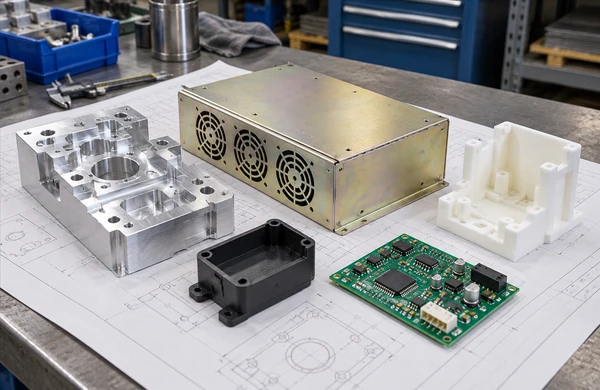
For a multi-part product, add a BOM or scope matrix with one line per item. Mark each line as make, buy, customer-supplied, assemble, test or reference only. Without that split, two suppliers may return similar-looking prices for very different work. It matters most when one request combines CNC-machined parts, sheet metal, molded plastics, PCB assembly and final product assembly.
2. Release one controlled set of product files
For mechanical parts
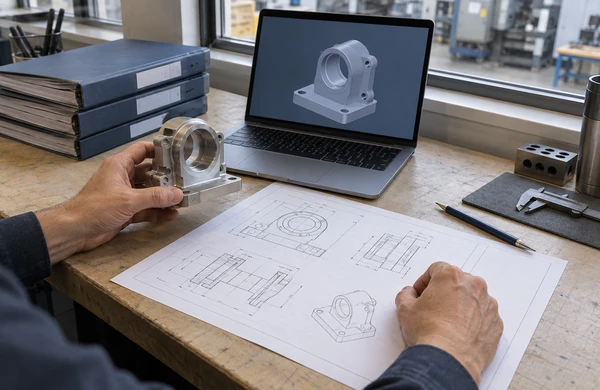
A 3D model describes the shape. The drawing records the dimensions, tolerances and notes that the manufacturer must follow and inspect. Most custom mechanical RFQs need both.
For a typical mechanical-part RFQ, provide:
- A neutral 3D CAD file such as STEP or STP, or another format agreed with the manufacturer
- A PDF drawing for controlled dimensions, tolerances, datums, threads, fits, surface texture, finishes and notes
- The same part number and revision on the model, drawing and RFQ line
- Units, scale where relevant and the required interpretation standard
- A statement identifying which file controls if the model and drawing conflict
An image, screenshot or STL mesh is usually not enough to define a precision-machined part. STL is common in additive manufacturing, but it does not replace a drawing when threads, inserts, tolerances or finish requirements need to be controlled.
When the drawing uses GD&T, name the standard and revision. ASME Y14.5 sets out rules for stating and interpreting GD&T on drawings, digital models and related documents; the ASME Y14.5 overview summarizes its scope.
For sheet metal parts
In addition to the formed 3D model and drawing, include:
- Sheet material and thickness
- Formed dimensions and bend requirements
- Weld locations, weld type and post-weld requirements
- Installed hardware such as PEM fasteners, studs or hinges
- Cosmetic surfaces and grain direction where relevant
- Flat pattern or DXF only when requested and controlled
Say which dimensions apply after bending, welding and finishing. A flat cut profile alone cannot define the acceptance condition of a finished enclosure or welded assembly.
For injection-molded parts
For an injection-molded part, list:
- 3D part geometry and drawing revision
- Resin grade, color and any approved alternatives
- Expected prototype, validation and production quantities
- Cosmetic surfaces, texture and appearance limits
- Inserts, overmolded components or secondary operations
- Dimensional, functional and material-documentation requirements
- Tooling scope, expected tool life or ownership requirements that need commercial clarification
Mark unresolved draft, wall thickness, ribs, bosses, gates, parting lines and ejector locations as DFM review items. A preliminary model should not look like a frozen production release.
For 3D-printed parts
Start with what the printed part has to do. A visual model, fit check, fixture and end-use component call for different choices. Name a process or material only when it is fixed; otherwise describe the mechanical, thermal, appearance and environmental requirements so the available 3D printing options can be reviewed.
Useful data includes:
- 3D model and revision
- Quantity and required build consistency
- Material or performance requirements
- Critical features and mating surfaces
- Preferred build orientation, if functionally important
- Support-removal, machining, coating or other post-processing
- Inspection and test requirements
For PCB fabrication and assembly
Gerber files define only part of a PCBA request. Send a synchronized data set containing:
- PCB fabrication data, including Gerber files and drill data
- Board specification, stack-up and fabrication notes
- BOM with manufacturer part numbers, quantities and approved-alternative rules
- Component placement or centroid data
- Assembly drawings and polarity or orientation information
- Quantity, panelization requirements if controlled, and build variants
- Firmware, programming or serialization requirements when included in scope
- Inspection and electrical or functional test requirements
The PCB data, BOM and placement files must describe the same revision. Ucamco publishes the official specifications and reference files on its Gerber downloads page. Validate the exported package before release, especially when it uses a specific Gerber version or job file.
3. Give real quantities, not labels
“Prototype” and “production” do not mean the same quantity to every company. Use numbers. Quantity can change the process, tooling approach, material purchase, inspection plan and packaging.
Where available, give three numbers:
- Prototype or validation quantity: what the next design or test stage needs
- First production quantity: what the current quotation should cover
- Expected repeat demand: an estimate or range, labeled as non-binding when appropriate
Name the project stage too: concept, proof of concept, validation, pilot build or repeat production. Five parts for a fit check are not reviewed in the same way as five production samples that need full records.
If you want price breaks, ask for explicit quantities such as 10, 50, 100 and 500 pieces. Avoid asking for “prototype and mass-production pricing” without defining the quantities behind those terms.
4. Describe the delivered material and finish
When the material is fixed, use its full designation. Add the condition, temper, hardness, resin variant, flame rating or any other property that affects acceptance. If alternatives are allowed, say who can approve them and what evidence that person needs.
For finishes, define:
- Finish or coating type
- Color, gloss or texture reference
- Masked or uncoated areas
- Cosmetic acceptance zones
- Whether dimensions apply before or after finishing
- Required certificates, process records or samples
“Aluminum, black” is not a complete specification. It leaves the alloy, temper, coating system, appearance standard, masked areas and final-dimensional condition open.
If the material is still open, describe the operating conditions: load, temperature, chemical exposure, electrical behavior, outdoor use, sterilization, wear and appearance. That gives the reviewer a basis for discussing options without mistaking a preliminary preference for a requirement.
5. Point to the features that matter
Not every dimension deserves the same attention. Mark the features that control fit, motion, sealing, electrical connection, alignment or appearance.
Useful drawing information includes:
- Datums and measurement references
- Critical-to-function dimensions
- Fits and mating-part information
- Hole, thread and insert requirements
- Form, orientation and position controls where required
- Surface texture on functional interfaces
- Edge-break, burr and cleanliness requirements
- Cosmetic zones and sample-based appearance references
For each unusually tight tolerance, explain the function behind it and the intended inspection method. The reviewer can then assess the process and measurement method against the real requirement.
Figures on a general manufacturing capabilities page are planning references. Geometry, material, size and inspection method still have to be reviewed for the actual part.
6. Quote the quality work with the parts
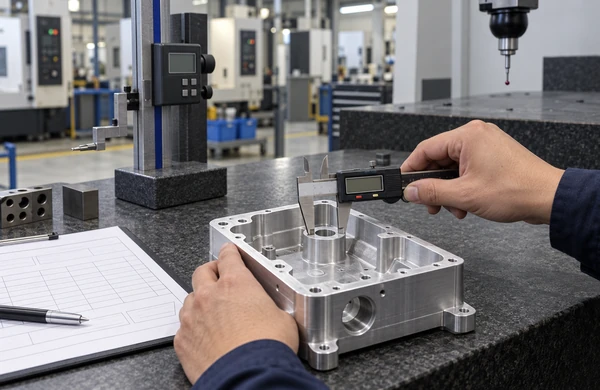
Inspection and documentation take time. Put them in the RFQ so they are included in the scope and price.
Define:
- Characteristics to inspect
- Sampling or 100% inspection requirements
- First-article expectations
- Measurement method or gauge requirements when controlled
- Material certificates or compliance documents
- Traceability, lot control and serialization
- Report format and delivery point
- Record-retention requirement, if applicable
- Applicable industry or customer standards
For testing, describe the setup as well as the result you expect:
- What will be tested
- Test conditions and fixtures
- Input and output limits
- Pass/fail criteria
- Required data or report
- Responsibility for test equipment, software and consumables
For PCBA, labels such as AOI, X-ray, in-circuit test and functional test do not define a complete scope. State the coverage, applicable components, limits, fixtures, software and records. Ask the supplier to list the included tests in the quotation.
A website’s industry examples do not prove approval for a regulated application. Put any required certification, special-process approval or customer document in the RFQ, then check current evidence during supplier review.
7. Make the BOM the assembly reference
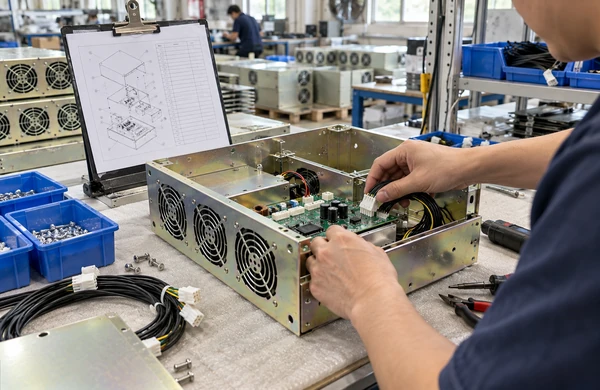
For an assembly, the reviewer needs to see how custom parts, purchased components and customer-supplied items fit together.
Provide:
- A controlled BOM with part numbers, descriptions, revisions and quantities per assembly
- Drawings or specifications for custom components
- Approved manufacturers and part numbers for purchased components
- Rules for substitutions and the required approval path
- Mating-part data and interface tolerances
- Assembly sequence or work instructions where controlled
- Torque, adhesive, soldering, cleaning or handling requirements
- Firmware, configuration, labeling and serialization data
- Functional test and final acceptance criteria
Identify the source of every item. For a customer-supplied component, record the expected quantity, delivery date and acceptable condition. Also decide who handles shortages or unusable parts. In a multi-process project, the controlled BOM is the shared reference for mechanical parts, plastics, electronics and final assembly.
8. Replace “urgent” with dates
“Urgent” is not a date. State when the parts must arrive and work backward through any DFM approval, material approval, first-article or sample-test milestones.
Design readiness, material availability, tooling, quantity, finishing, inspection and logistics all affect the schedule. Confirm the timing in the quotation after the files and scope have been reviewed.
Include:
- Required arrival date and delivery destination
- Prototype, validation and production milestones
- Partial-delivery rules if acceptable
- Packaging, labeling and special-handling requirements
- Preferred shipping method or delivery terms when already decided
- Import, export or destination documentation requirements that apply to the order
9. Keep every file on the same revision
A current model paired with an old drawing or BOM leaves the reviewer guessing. Before release, check that the CAD model, drawing, BOM, PCB files, placement data, assembly instructions and test specification all refer to the intended product version.
The transmittal does not need to be elaborate. A short table is enough:
| File | Part or assembly | Revision | Date | Purpose |
|---|---|---|---|---|
Housing.step |
Housing | C | YYYY-MM-DD | Controlling geometry |
Housing_Drawing.pdf |
Housing | C | YYYY-MM-DD | Dimensions, tolerances and finish |
Product_BOM.xlsx |
Final assembly | B | YYYY-MM-DD | Make/buy structure and quantities |
Functional_Test.pdf |
Final assembly | A | YYYY-MM-DD | Test conditions and acceptance |
Use clear filenames and remove superseded files from the release folder. If two documents disagree, resolve the conflict before ordering and record which file controls.
10. If the design is not finished
Sketches, photographs and preliminary CAD can support an early discussion. Label them as preliminary, then separate known requirements from assumptions and open questions.
For an early-stage inquiry, explain:
- What the product or part must do
- What has already been designed or tested
- Which interfaces cannot change
- Which material, process or tolerance decisions are open
- What you need from the supplier: feasibility feedback, DFM, reverse engineering, file preparation or a budgetary estimate
- What must be completed before a firm production quotation can be issued
Design, reverse engineering and file preparation are separate work. An early feasibility discussion does not mean the product is ready for production.
Copy-and-send manufacturing RFQ checklist
Before sending the request, confirm the following:
- Project name, customer reference and technical contact are included
- Every part has a unique number, name and revision
- The quotation scope is clear: make, buy, finish, assemble, test, package and deliver
- Current 3D CAD models and required 2D drawings are attached
- Model and drawing authority is stated
- Prototype, first-order and expected repeat quantities are identified
- Material grades, conditions and permitted alternatives are defined
- Finish, color, texture, masking and cosmetic requirements are defined
- Critical interfaces, dimensions, tolerances, threads and fits are marked
- Inspection, sampling, first-article and reporting requirements are included
- Material certificates, traceability and other documentation requirements are listed
- BOM, assembly instructions and mating-part data use matching revisions
- PCB fabrication, BOM and placement data are synchronized where applicable
- Test procedures, fixtures, limits and record requirements are included
- Target dates, milestones and delivery destination are stated
- Packaging, labeling and special-handling requirements are included
- Open questions are marked for review rather than left ambiguous
- Superseded files have been removed from the release package
- Confidentiality or NDA requirements have been discussed before sensitive files are shared
Common RFQ mistakes to avoid
| Mistake | What to do instead |
|---|---|
| Sending only a 3D model | Add the drawing or agreed model-based definition that controls tolerances, threads, finishes and inspection. |
| Applying tight tolerances to every feature | Control the features that affect function and use practical requirements elsewhere. |
| Asking for “prototype” or “production” pricing without quantities | Give the quantity for each project stage and request price breaks at named volumes. |
| Mixing file revisions | Release one checked package and remove superseded files. |
| Requesting “standard inspection” | State what must be checked, the sampling level and the records to be delivered. |
| Adding tests or certificates after quotation | Put fixtures, programming, measurement and document needs in the original RFQ. |
| Comparing unit prices before comparing scope | Check tooling, finish, inspection, test, packaging, freight and delivery assumptions first. |
Frequently asked questions
1. What is the minimum information needed for a manufacturing quote?
Send the current product files, quantity, material, finish, functional requirements and target date. A mechanical-part request normally needs a CAD model and drawing. A PCB assembly request needs fabrication data, a BOM and placement data. Add the inspection, testing and delivery requirements that belong in the quoted scope.
2. Can I request a quote without completed CAD files?
Yes. Sketches, photographs, preliminary models and functional requirements are enough to begin a feasibility discussion. Mark the missing decisions. Any design or reverse-engineering work needs its own scope, and the product definition must be completed before production is confirmed.
3. Should I send both a 3D model and a 2D drawing?
For many custom mechanical parts, yes. The model defines geometry; the drawing controls dimensions, tolerances, threads, finishes and inspection notes that may not exist in the model. State which file governs if the two disagree.
4. Can one RFQ include machined parts, molded parts and PCB assembly?
Yes. Use a controlled BOM to connect the component files, materials, finishes, interfaces, assembly instructions and tests. Ask the supplier to confirm each component and the combined assembly scope in the quotation.
5. How long does a manufacturing quotation take?
It depends on the files and the work being quoted. Tooling, special materials, component sourcing, testing and mixed processes take additional review. Share your decision deadline; the project contact can then flag missing information and confirm the next step.
6. Are website capability tolerances guaranteed for my part?
No. General capability figures are planning references. Geometry, material, size, process and inspection method affect what is achievable. Mark the dimensions that control function so they can be reviewed for the actual part.
Prepare your project for review
Zenbot China reviews RFQs for mechanical parts, plastics, electronics, finishing and assembly. Use the checklist above to prepare the files, then request a manufacturing quote.
If the design is preliminary, the process is still open or you need to arrange confidentiality first, contact the Zenbot China team. The quotation will record the confirmed manufacturing scope, price, timing and acceptance requirements for the project.